Start with context.
Keep the creator’s niche, content interests, and platform together in a profile.
MUSE · AI CONTENT PLANNING
A workspace for beauty creators to generate ideas, save content, and plan what to publish next.
Open the interactive demo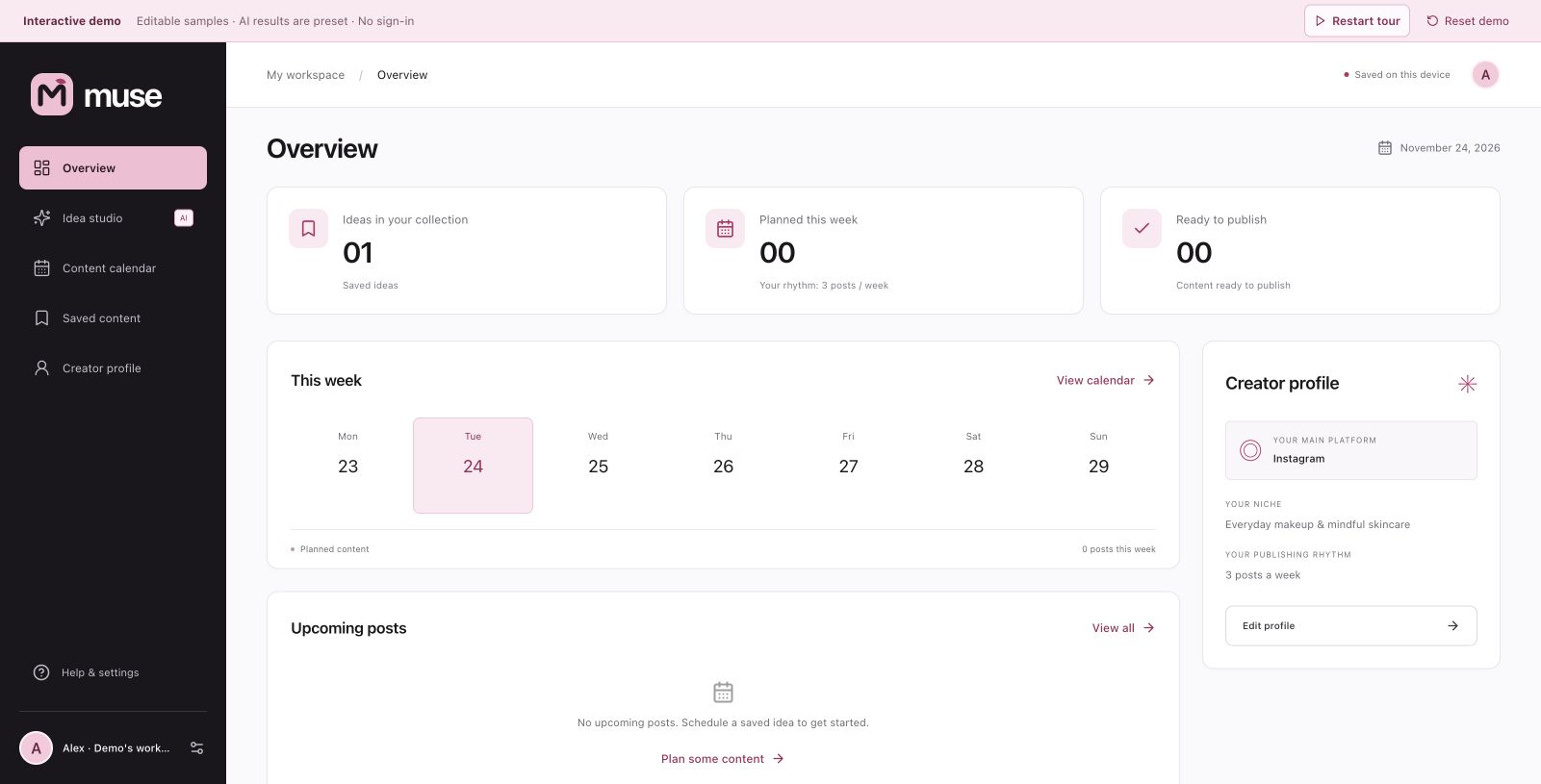
01 / STARTING POINT
As a beauty content creator, I had scattered inspiration but no clear way to tell which ideas had evidence of audience interest on a platform. Muse began with that personal need: connect inspiration with signals that could help me choose what to make next.
I designed and built Muse independently through vibe coding, starting from my own experience as a beauty creator. I have not yet conducted user interviews or usability testing.
02 / THE WORKSPACE
Muse connects a creator profile, an AI idea studio, saved content, and a content calendar. The overview brings those parts together so creators can see their collection and their week.
Keep the creator’s niche, content interests, and platform together in a profile.
Choose a platform and output language, add creative direction, and generate ideas with explanations of how they fit the audience.
Save ideas in a collection and use the calendar to organize upcoming content.
03 / THE WORKFLOW
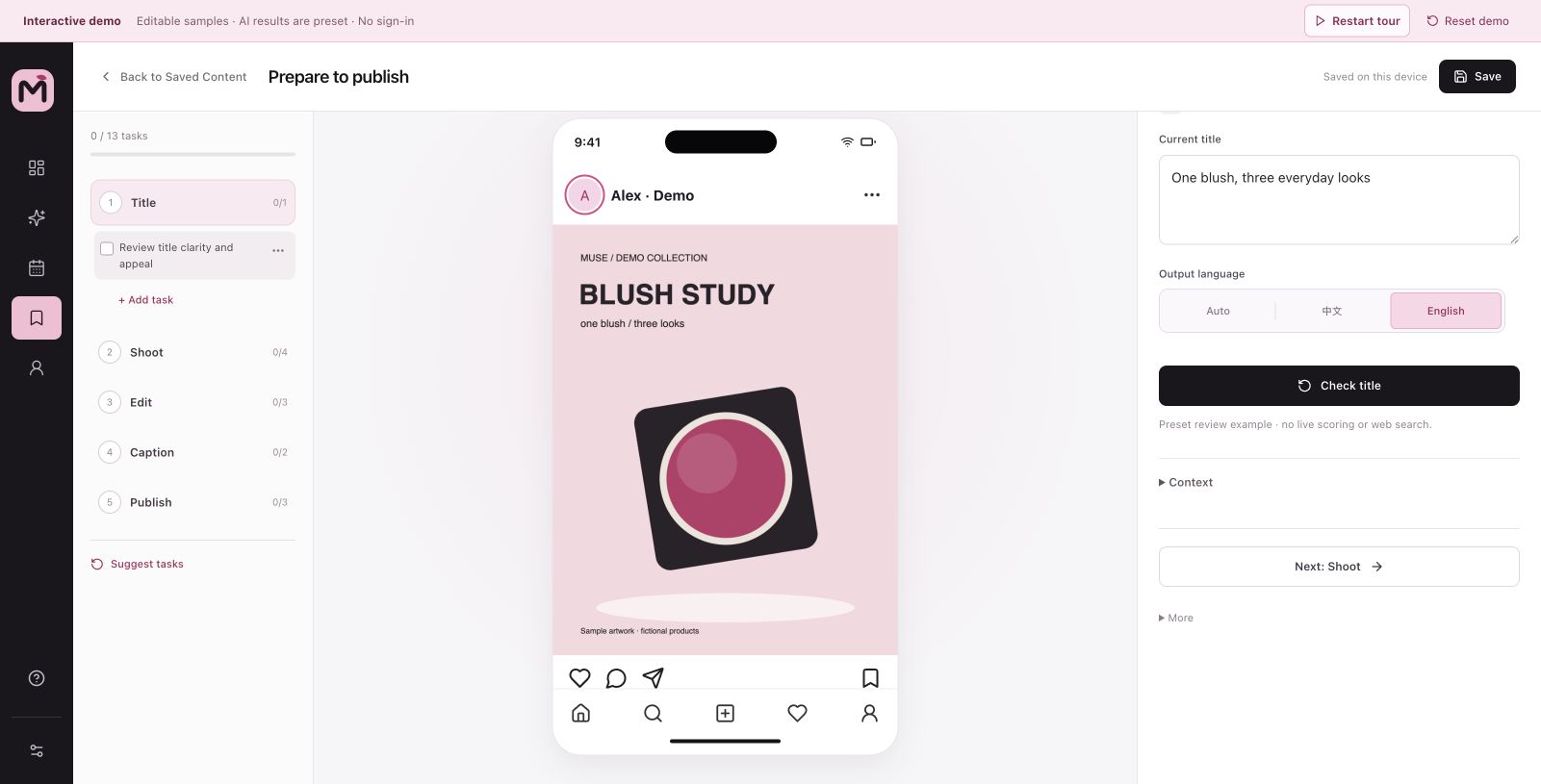
A saved idea opens into a preparation workspace: a checklist on the left, a content preview in the middle, and tools for the selected task on the right.
Use a creator profile, platform, and an optional brief to frame the ideas.
Review the topic, format, and rationale. Save the ideas you want to keep.
Work through the checklist, review the title and caption, then choose a date and save the plan.
04 / DESIGN DIRECTION
I wanted Muse to help me learn from content gaining traction while keeping my own style. The product direction combines trend-informed inspiration with human judgment over what to make and how to express it.
My direction is to use trending TikTok content as inspiration, while letting creators decide what fits their own voice.
Suggestions give the creator options to consider rather than deciding what they should publish.
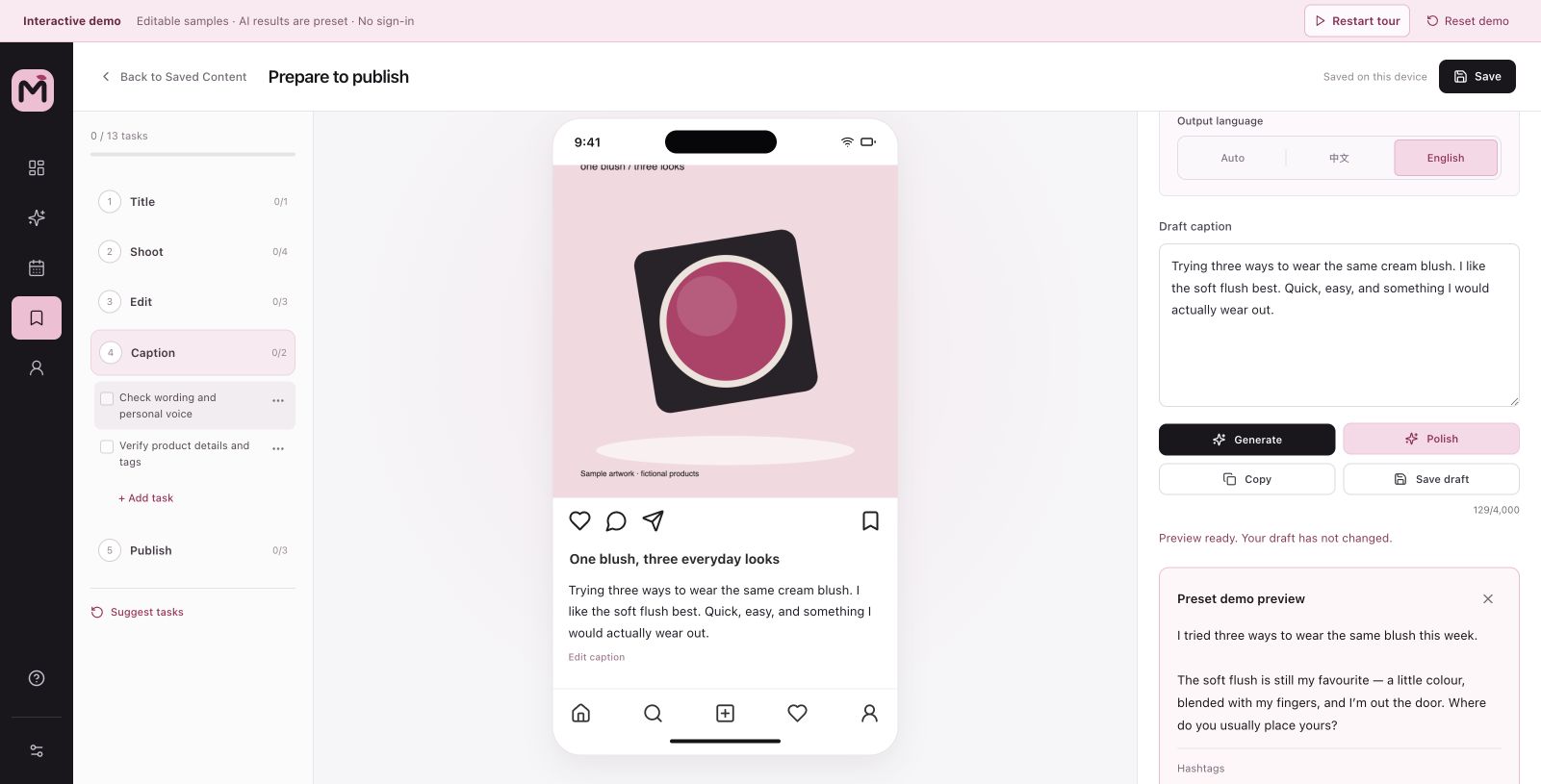
The creator chooses the idea and adapts it to their own experience, taste, and style. Caption suggestions appear as a preview before Apply changes the draft.
05 / EXPLORE MUSE
Try the guided flow from saving an idea to preparing a caption and scheduling a plan. No sign-in is required. The demo uses editable samples and preset AI results; it does not demonstrate live trend retrieval or publish to social platforms.
Open the interactive demo