Missing context
Inconsistent titles and notes made recordings difficult to identify.
MEDSIM · UNIVERSITY OF MICHIGAN
Making a clinical simulation archive easier to search, organize, and share.
FROM RECORDINGS TO RESOURCES
Students · Faculty · Researchers · Technicians
Within a three-person team, I focused on information architecture and usability testing, and contributed to part of the interface design.
01 / THE PROBLEM
Older simulation recordings lived in Google Drive. Their searchable information lived in a separate spreadsheet. Finding a recording meant switching between both.
 Google Sheets
Find a matching record.
Use it to locate the session.
 Google Drive
Switch tools and search again.
Interpret camera-generated filenames.
Inconsistent titles and notes made recordings difficult to identify.
Users needed to understand the spreadsheet, folder structure, and naming conventions.
Students often relied on faculty or technicians to retrieve videos.
Based on interviews with a faculty member and a technician, plus an observed search session with a graduate student.
02 / INFORMATION ARCHITECTURE
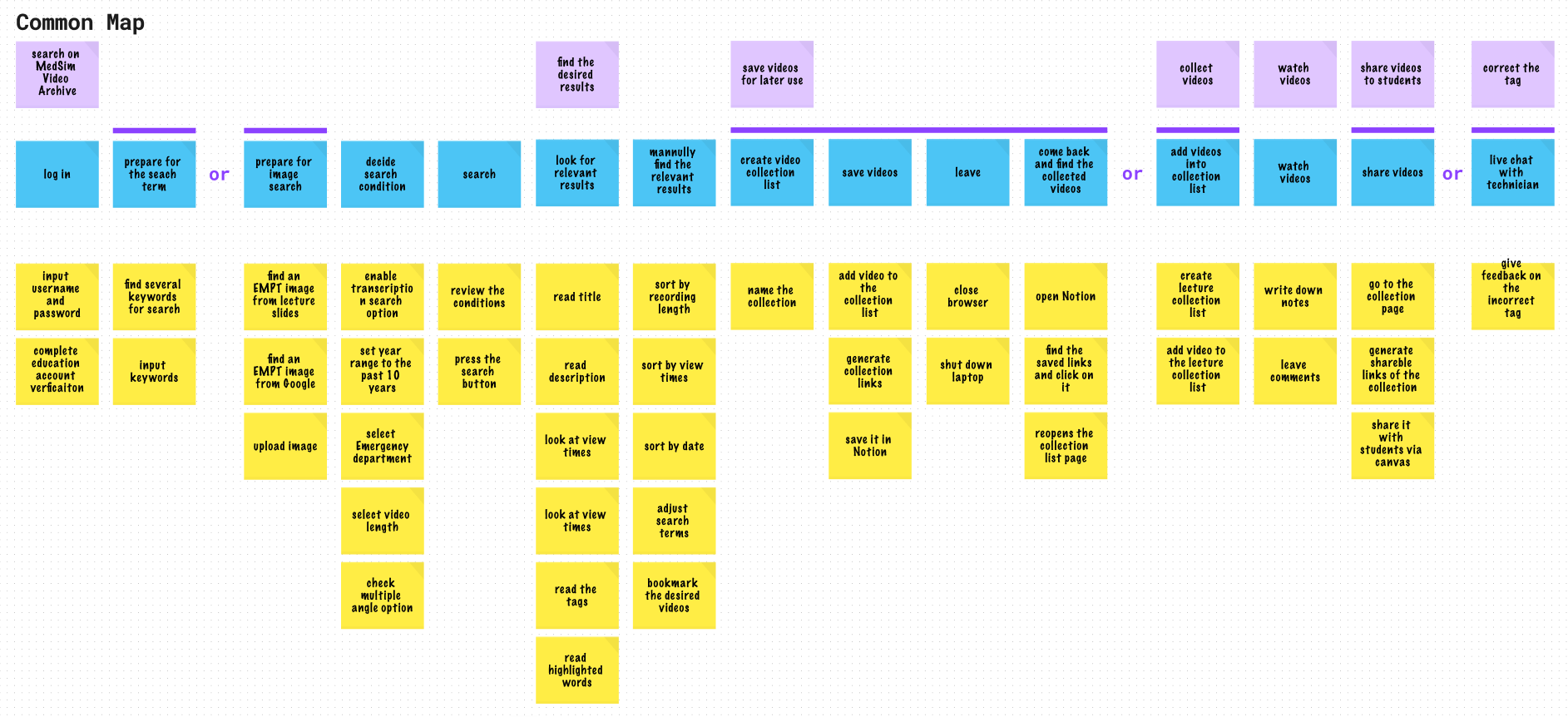
The archive needed to support people using the recordings and the people maintaining them.
Find and review relevant simulation recordings.
Assemble and share material for teaching.
Collect recordings across sessions and years.
Maintain video information and manage access.
Find → Review → Collect → Share
Upload → Describe → Maintain → Manage access
03 / DESIGN DECISIONS
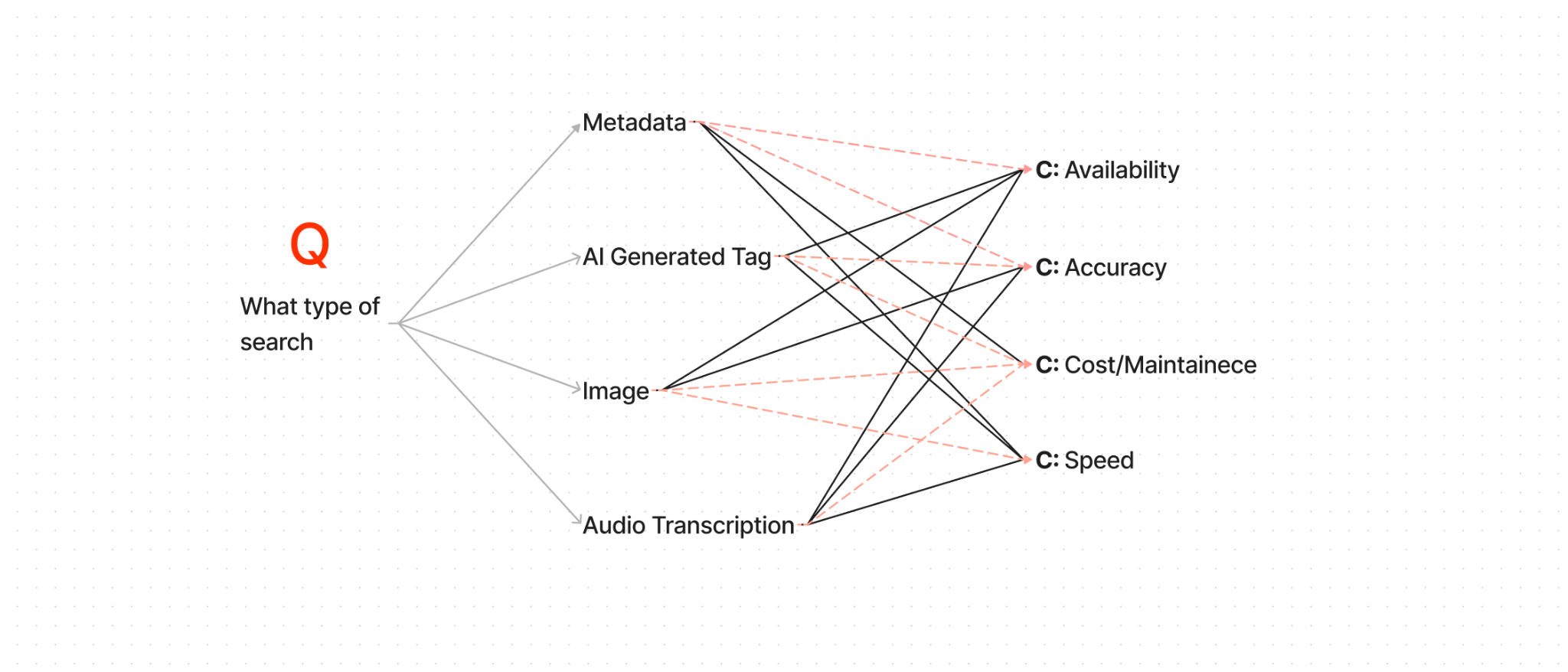
We prioritized metadata and audio transcription, balancing search usefulness with processing cost. Image search and AI-generated tags remained secondary options.
Build on structured information and spoken content.
Powerful options with greater processing cost.
Collections give teaching and research work a place to continue: save relevant videos, return to them, and share the selected material.
Managing the archive requires different tools from browsing it. We separated content and account management from the learning workflow.
04 / USABILITY TESTING
Five participants tested the general-user paper prototype. The viewing-and-note-taking task exposed the greatest difficulty.
Task rating scale: 3 = completed easily · 2 = completed with difficulty · 1 = could not complete.
Two participants could not complete the task; three struggled. The report identified confusion about where to take notes.
The mid-fidelity test revealed difficulty finding the role-specific login. The final prototype added the label “technician portal.”
Upload and metadata-update sequences required learning. Clearer guidance and testing with experienced clinical users remained important next steps.
05 / FINAL DESIGN
The high-fidelity prototype brings search, video review, collections, and management into one system.
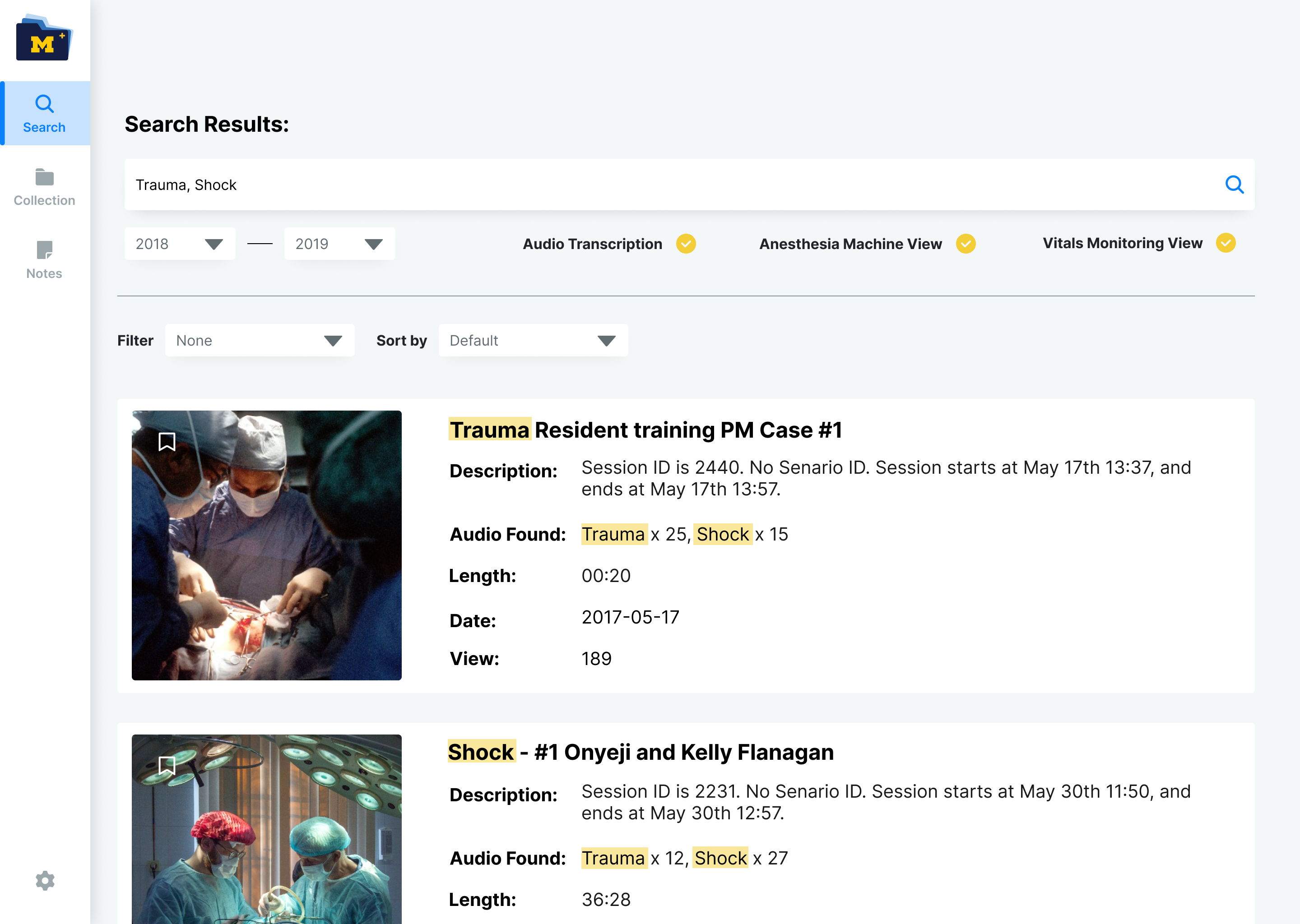
Combine keywords, dates, and recording views. Highlighted matches help users scan the results.
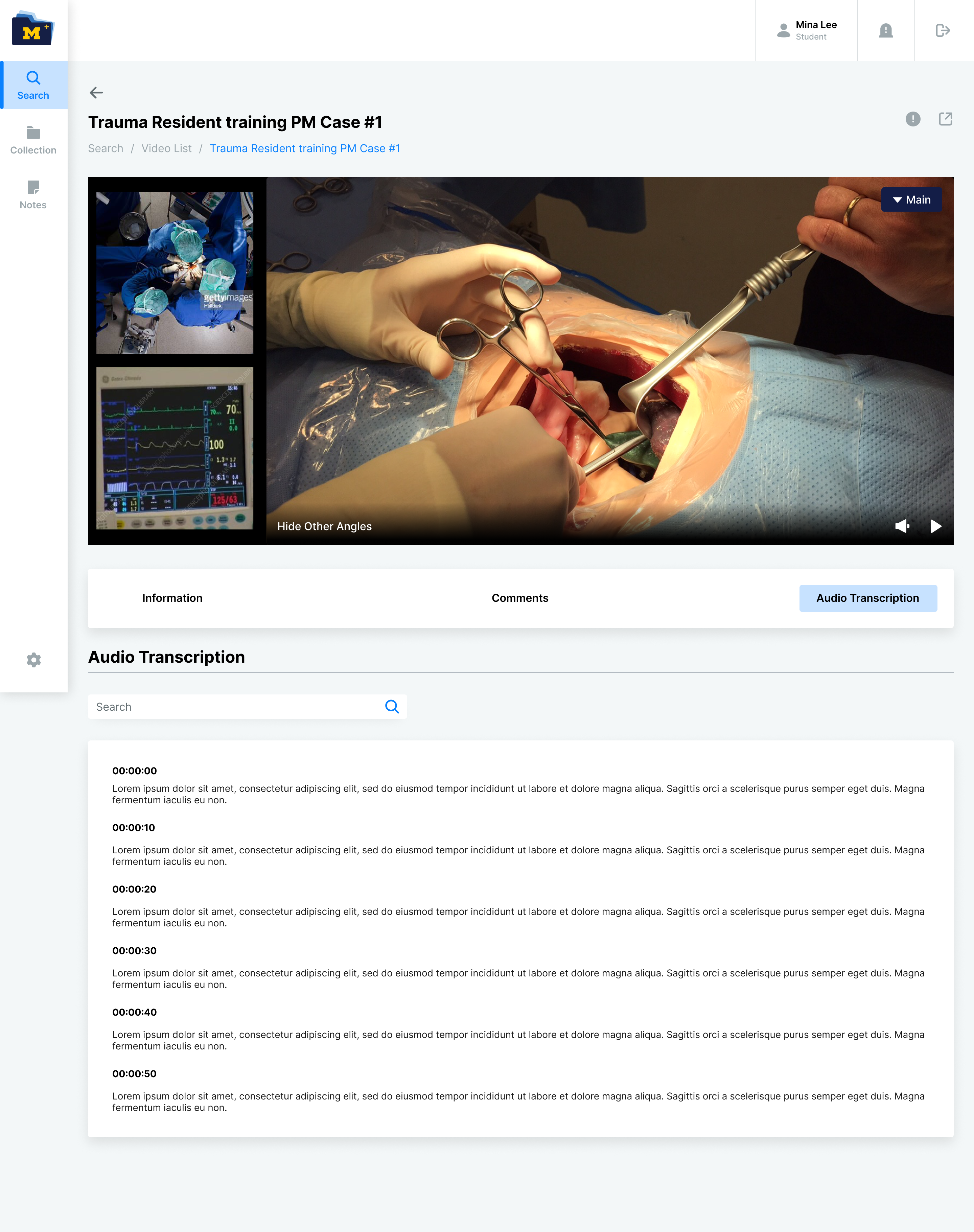
Camera angles, comments, and transcription are available within the video detail page.
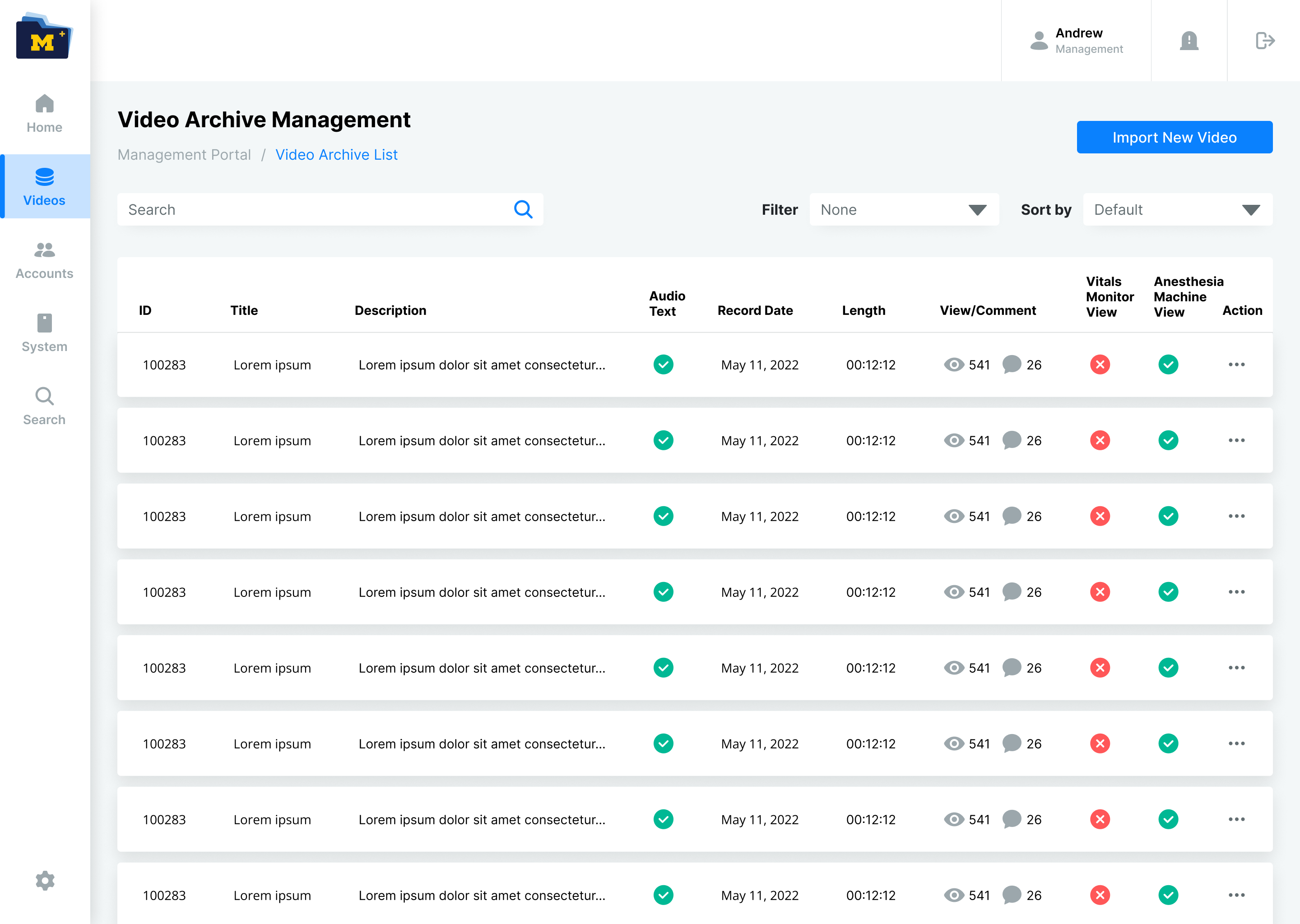
Technicians can review video records and access management actions from a dedicated workspace.
Information structure and discoverability need to work together. Making a video searchable is only the beginning; users also need clear ways to review, save, and share it.
The project concluded with a high-fidelity prototype. Testing did not include medical specialists; production performance was not evaluated.