First-time creators
“I just want to create my first clip without messing things up.”
Safe, reversible choices. Guidance and reassurance. A clear, linear path to a first success.
Design goal: confidence before control.VIZARD · ONBOARDING PROCESS REDESIGN
A clearer creator workflow from upload to the first AI-generated clips, with fewer upfront decisions and user control over templates and optional settings.
AI Video · Creator Tools · Onboarding
 REDESIGNED ONBOARDING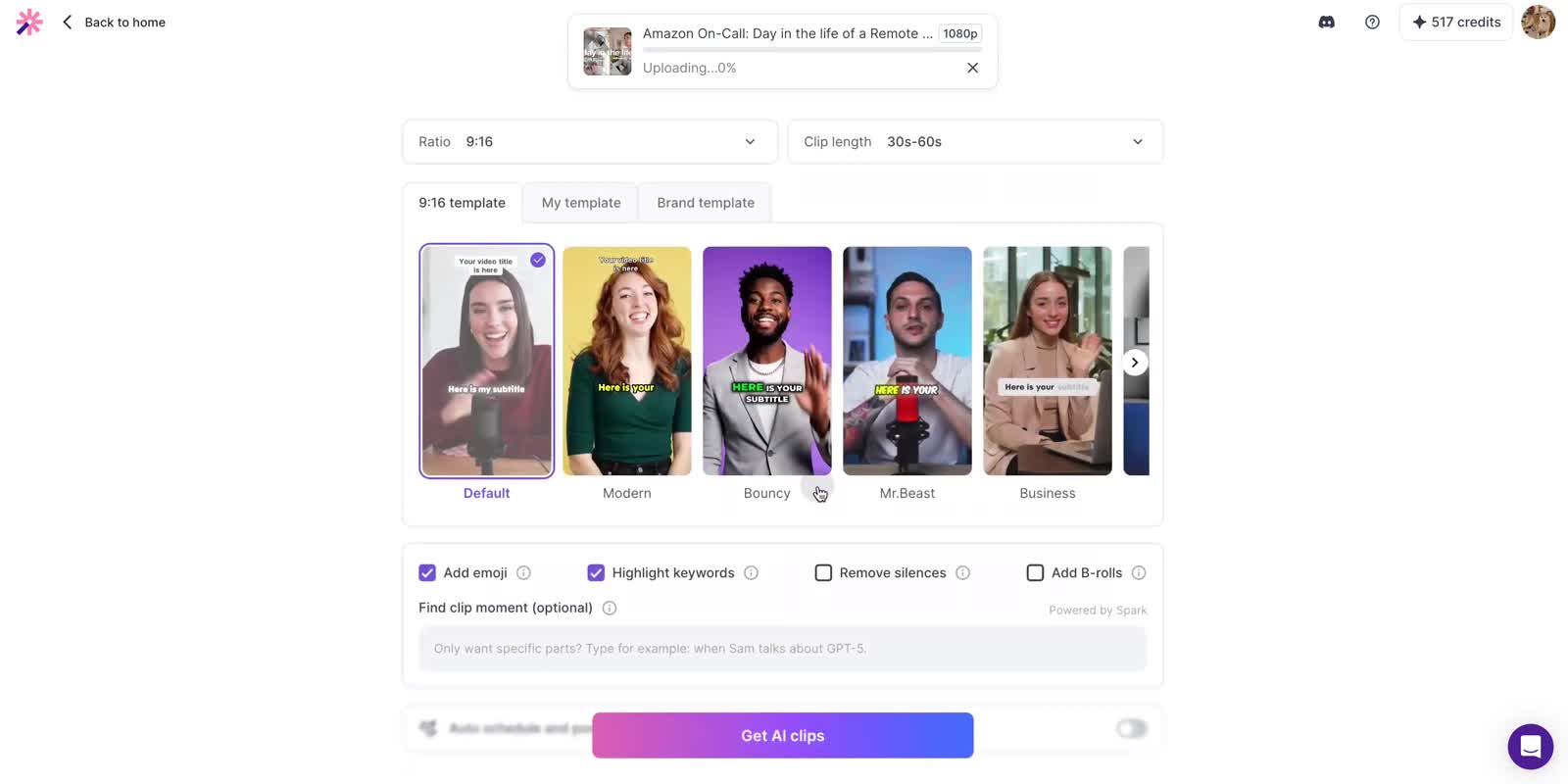
01 / THE PROBLEM
Vizard turns long videos into short, shareable clips. But the path to a first clip asked users to make a series of decisions before they could see what the product would create.
Revenue growth, retention, and activation rate were all declining. The onboarding funnel showed where users were dropping off before reaching their first result.
The largest drop was between steps 3 and 4: from 79% to 52%.
Language, editing mode, clipping method, and output settings all competed for attention. The flow map follows each decision in the interface.
02 / USER NEEDS
The creator workflow needed to help new users reach their first AI-generated clips and make repeat creation efficient for returning users.
“I just want to create my first clip without messing things up.”
Safe, reversible choices. Guidance and reassurance. A clear, linear path to a first success.
Design goal: confidence before control.“Let me generate and publish clips as fast as possible.”
Fast, uninterrupted workflows. Minimal setup for repeated tasks. Fewer repetitive decisions.
Design goal: speed without friction.Core needs summarized in the project’s user segmentation.
03 / THE SOLUTION
Start with smart defaults, preview a template, and adjust optional settings before generating clips.
04 / HOW I GOT THERE
Three directions. One goal: reach a useful result sooner.
Fewer decisions. A faster first result.
Slower for power users. Higher build cost.
Clearer choices, but still too much upfront.
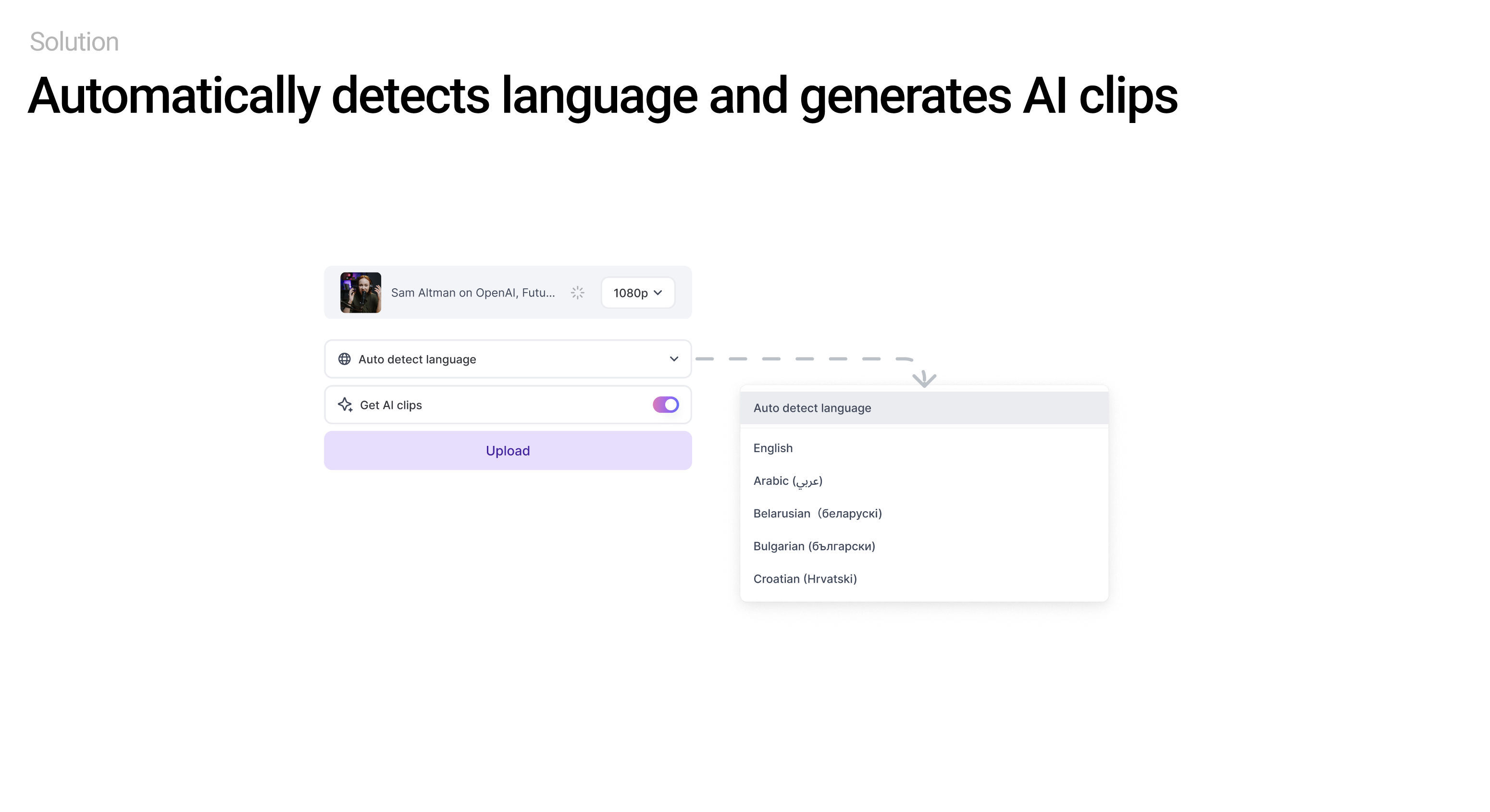
SOLUTION 01 / AUTOMATIC SETUP
Language detection and AI clipping are on by default. User control remains available through the language dropdown and clipping preferences.
SOLUTION 02 / UNIFY AI CAPABILITIES
Combine spoken content and visual context so creators can focus on the result.
SOLUTION 03 / DESIGNING WITH CONSTRAINTS
An interim tabbed layout kept both methods available during the two-week engineering transition.
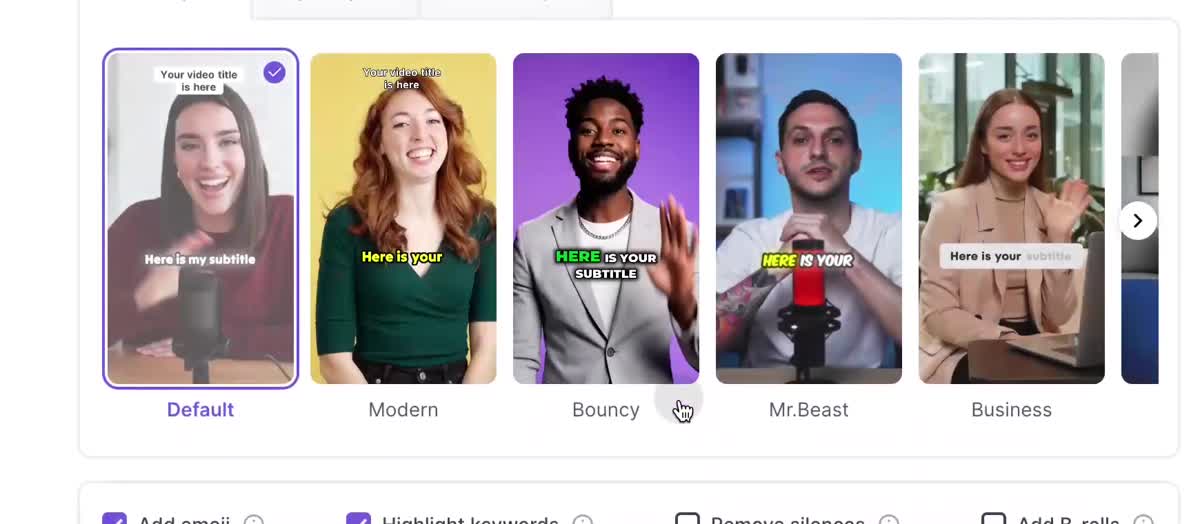
SOLUTION 04 / SHOW VALUE EARLY
Creators can compare visual styles and choose a template before generating clips, making the expected output easier to understand.
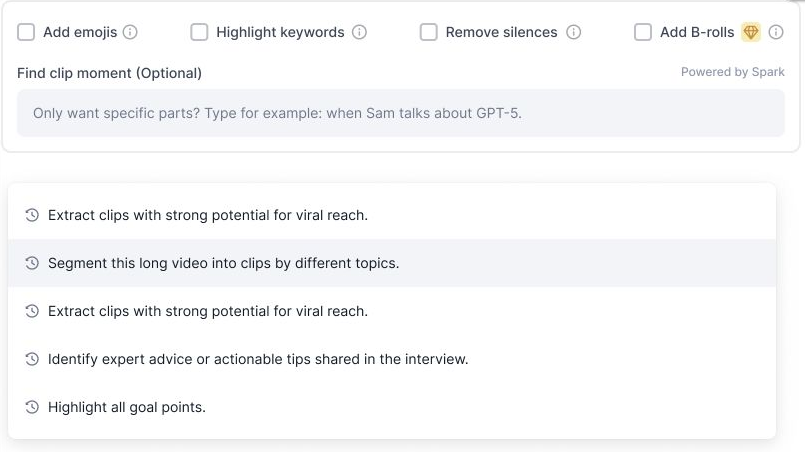
SOLUTION 05 / MAKE PROMPTING APPROACHABLE
Creators can optionally describe the moments they want in their AI-generated clips, using examples and reusable prompt history.
SOLUTION 06 / EXPLAIN IN CONTEXT
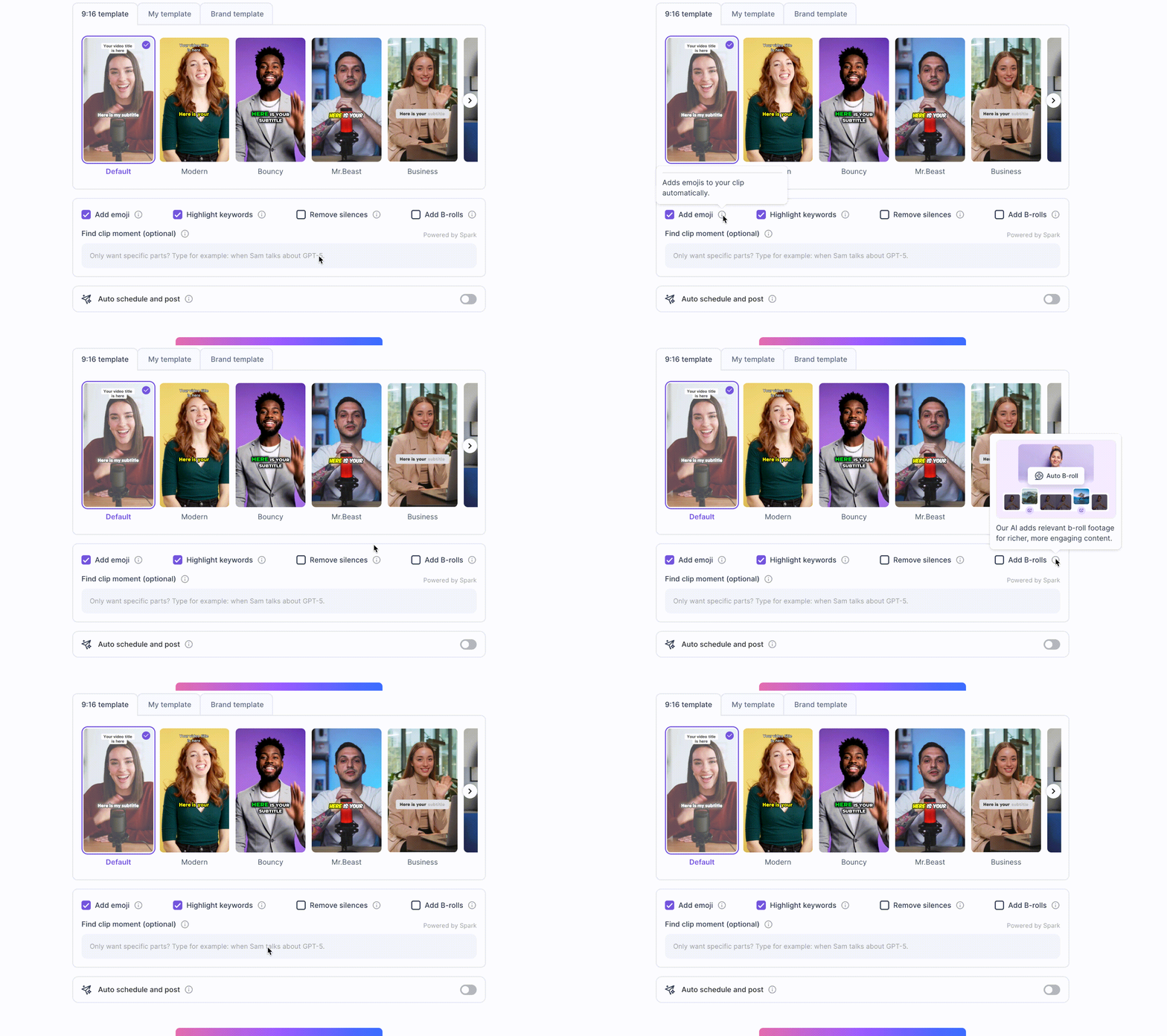
Visual tooltips show what emojis, keyword highlighting, silence removal, and B-roll do, helping creators decide which enhancements to enable.
SOLUTION 07 / SUPPORT RETURNING CREATORS
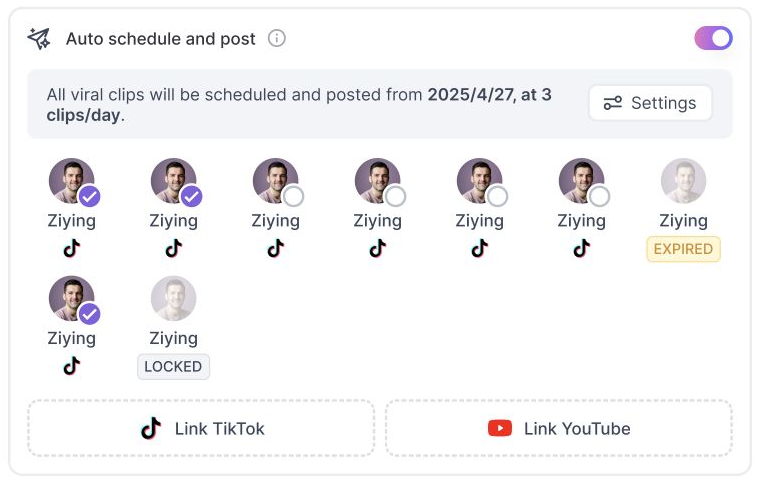
Keep scheduling, connected accounts, and account status together.
05 / IMPACT
High-value users
Returning clippers
The design connects two needs through one clearer journey: confidence for first-time creators and fewer repeated decisions for returning users.